



Lauren asked me how I make the dolls transparent. In case you want to know too, here´s how you do it.
Make your doll. Press the “Prt Scren” button. Open Paintshop, and press “paste”. Resize the screenshot so that only the doll with some background is left.

Then, take the magic wand:
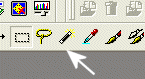
and click on the white background. Make sure you look closely for background spots between her legs, somtimes arms and hair. When you have all the white bg spots “highlighted” with the magic wand:
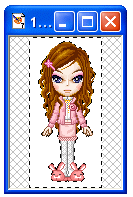
choose a coulor that does not appear in your doll. I usually take disgusting green:
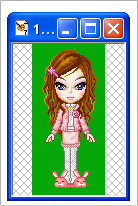
Make sure that for and background are the same colour (the green!).

Then, if you have all toolbars displayed, there is a little blue arrow, that sais “gif”. If you don´t such a button, click on “view”, “Toolbars”, and activate everything except the Histogramm. Then you should see it too.
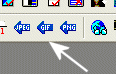
Click on it. Activate “areas that match this colour” and set Tolerance to 0.:

Click on the “colors”, and activate “Optimize Octree”.
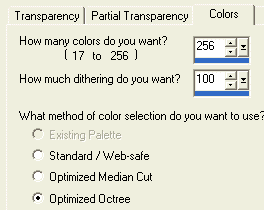
You should now see your dollie already with a transparant background. Click ok, and save. And voila, you are done.

1:07 pm on September 15th, 2003
Great tutorial. I have PSP somewhere. Thanks so much , Connie. This is so useful to everyone.
6:03 pm on September 15th, 2003
you can make stuff transparent on PS too. i have a tutorial here
9:21 am on September 16th, 2003
cool Dodo!
Connie, would you know if we’re allowed to use the dolls in the gamevil site for layouts? I want to ask permission but I can’t read the characters.
2:46 pm on September 16th, 2003
Kewl! I use a very different, not-so-efficient way 😀 Thanks for this tho’!
Der Schatten des Windes
The Archives
2017
Thank you Wordpress | turtelina.net 2001-2018 | :)